


Spin - Streetwear Shopify Theme
Spin - Streetwear Shopify Theme
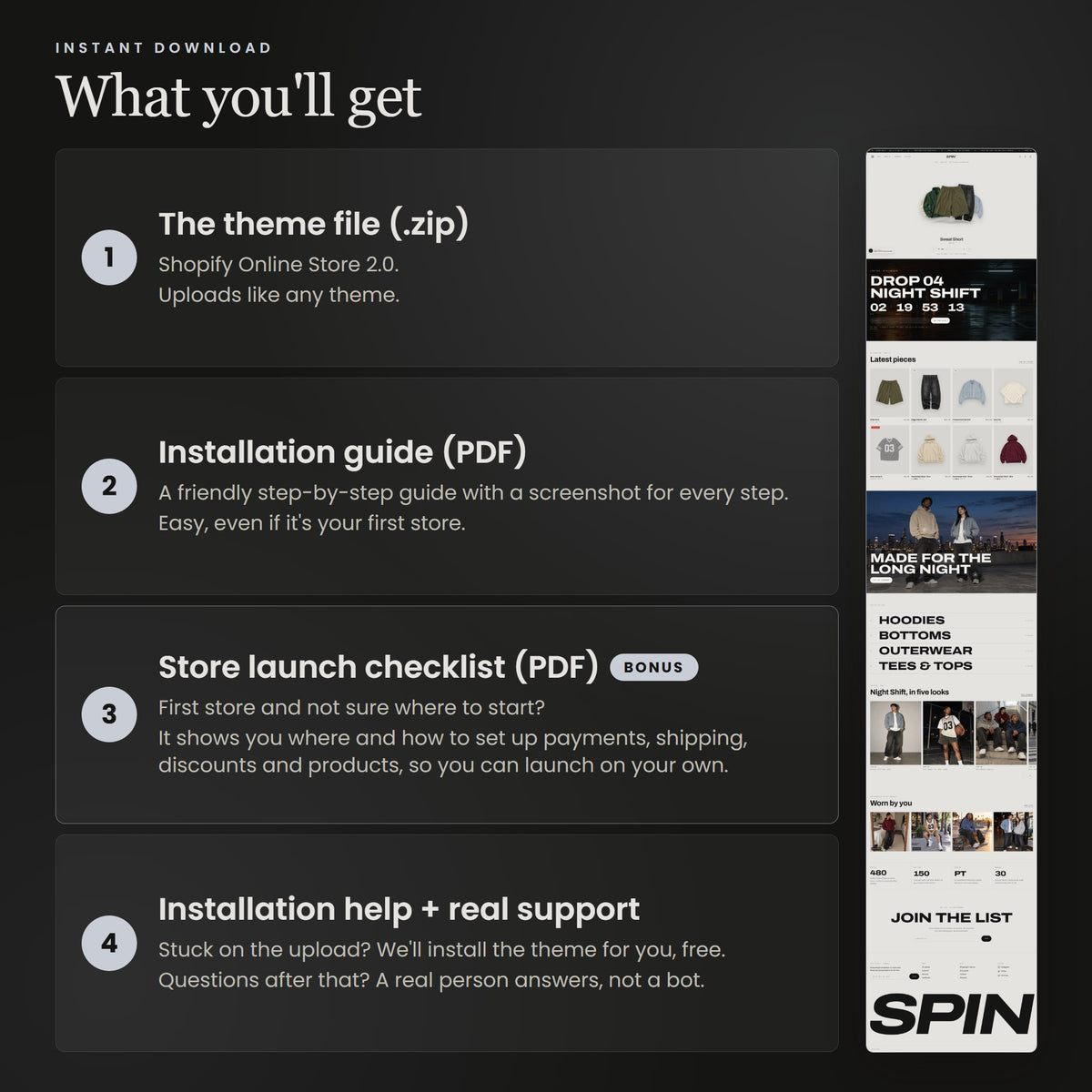
- ✓ Theme zip file?The single file you upload to Shopify under Online Store > Themes.
- ✓ Installation guide
- ✓ Demo images and prompts
- ✓ Launch checklist (bonus)?For first-time Shopify sellers: payments, shipping, taxes, policies and domain, step by step.
- ✓ Theme installed and published
- ✓ Your logo, colours and fonts?Send your logo file. No logo yet? We set a clean text logo you can replace later.
- ✓ Up to 15 products added?You send the photos, titles, descriptions and prices. We add them, set up variants and group them into collections.
- ✓ Shipping zones and rates?Tell us where you ship and what you charge. We set up the zones and rates.
- ✓ Store policies?We add your own refund, privacy, terms and shipping policies, or Shopify's standard templates filled in with your store details. You review and approve them before launch.
- ✓ All store pages set up?Home, product, collection, About and Contact pages, styled for your brand.
- ✓ Menus and navigation
- ✓ Free shipping progress bar?A bar in the cart that shows how much more to add for free shipping, so customers add one more item.
- ✓ Cart upsell?A product suggestion inside the cart drawer to raise your average order value.
- ✓ Branded order emails?Order confirmation, shipping and thank-you emails in your logo and colours.
Something went wrong. Please try again or message us on WhatsApp.
Instant download · Easy setup · Conversion-optimized
What Spin does
- Orbit hero: your pieces float on a ring. Shoppers drag to spin, tap to open and add to bag without leaving the home page.
- Drops on a timer: put a release in one collection, set the time once. Pieces show the date and a Notify me form, then open for sale by themselves.
- Five looks: Studio, Editorial, Night, Tag and Blueprint restyle the whole store in one setting.
- Built to sell: cart upsell, free shipping bar, low stock note, fit scale and size guide on every product.
- Also inside: lookbook with shoppable photos, drop archive, countdown password page, SEO and Google structured data.
What's included
- Theme zip file, ready to upload to Shopify
- Installation guide (PDF) with a chapter for every Spin feature: drops, the orbit, looks, product pages, SEO
- All demo images in full resolution, plus the prompts behind them
- Launch checklist for your store setup
What you need
A Shopify store on any plan. Spin is an Online Store 2.0 theme.
Cut-out photos for the orbit: each piece in the hero is a photo on a transparent background (PNG or WebP). Any background remover makes one in a minute. Your normal product photos stay on the product pages.
Drops are optional. Not running releases? Leave the drop settings empty and Spin works as a regular store.
How to install
- Download the theme zip from your order email.
- In Shopify, go to Online Store > Themes and choose Add theme > Upload zip file. It arrives as a draft, so your current store does not change.
- Press Customize, follow the guide, then Publish.
Prefer not to? Pick Theme + Launch Setup and we do it for you.
Compatibility & customizing
Apps: works with standard Shopify apps and app blocks.
Your brand: every look runs on colour schemes, so changing one colour updates every section that uses it.
No code required: every section, text and image is editable in the Shopify editor.
Fast and findable: lazy images, no heavy libraries, product and breadcrumb data for Google built in.
Support, updates & license
Support: message us on WhatsApp or through the contact page if a setting is unclear or something looks wrong.
Updates: fixes and improvements are free for existing buyers.
License: one purchase covers one Shopify store. The theme is a digital download, so it cannot be returned, resold or redistributed.


Motion built in
Pieces float on an orbit. Drag to spin, tap to open.
Five looks in one theme
Change the mood. Keep your sections.
The demo opens in Studio. Tap a look to open the whole demo store in it (password 1), or switch it later in Theme settings.


Built for drop day.
How a release runs in Spin, from the first teaser to the sold-out archive.

A countdown page with an email signup. Close the store with the Shopify password and this page greets everyone until the release.

Put the release in one collection and set the time once. The pieces show the date instead of a price, and each carries a Notify me form.

At the release time the pieces open by themselves. Sold-out drops move to the archive with their sell-out time.
Try it.
Open the interactive Spin demo and take the orbit for a turn.
From download to live store
No developer needed. Every theme comes with a step-by-step install guide, so you can go live in about five minutes, even on your first Shopify store.

Download the theme from your order email. In your Shopify admin open Online Store, then Themes. Scroll to Theme library, press Add theme, then Upload zip file and pick the zip.

Press Edit theme and change the logo, colours, fonts, text and images in the Shopify editor. No code.

Preview it, then press Publish when it looks right. Your store is live.
Questions
Theme only or Theme + Launch Setup?
Pick Theme only if you are happy to upload it and add your products yourself with our guide. Pick Theme + Launch Setup if you would rather send us your logo, products and details and get a store that is ready to sell.
What do you need from me for Launch Setup?
Your logo, product photos, titles, descriptions and prices, where you ship and what you charge, and a few answers about your brand for the page copy. We send you a short form after you order.
Will my products and content be affected?
No. A theme only changes how your store looks. Your products, collections, pages, orders and customers stay where they are.
Can I still install apps?
Yes. The theme is built on Shopify standard architecture, so apps from the Shopify App Store work as they would on any other theme.
What if I get stuck?
Write to us on WhatsApp or through the contact page and we will help.
